A Shark robot vacuum that's beeping and flashing red usually isn't dealing with a navigation glitch or a low battery - it's usually a dustbin that's completely full. Emptying a Shark robot vacuum is straightforward once you know what you're doing, but there are some tricks that'll save you from creating dust clouds in your kitchen or dealing with that frustrating moment when debris just won't budge from the corners.
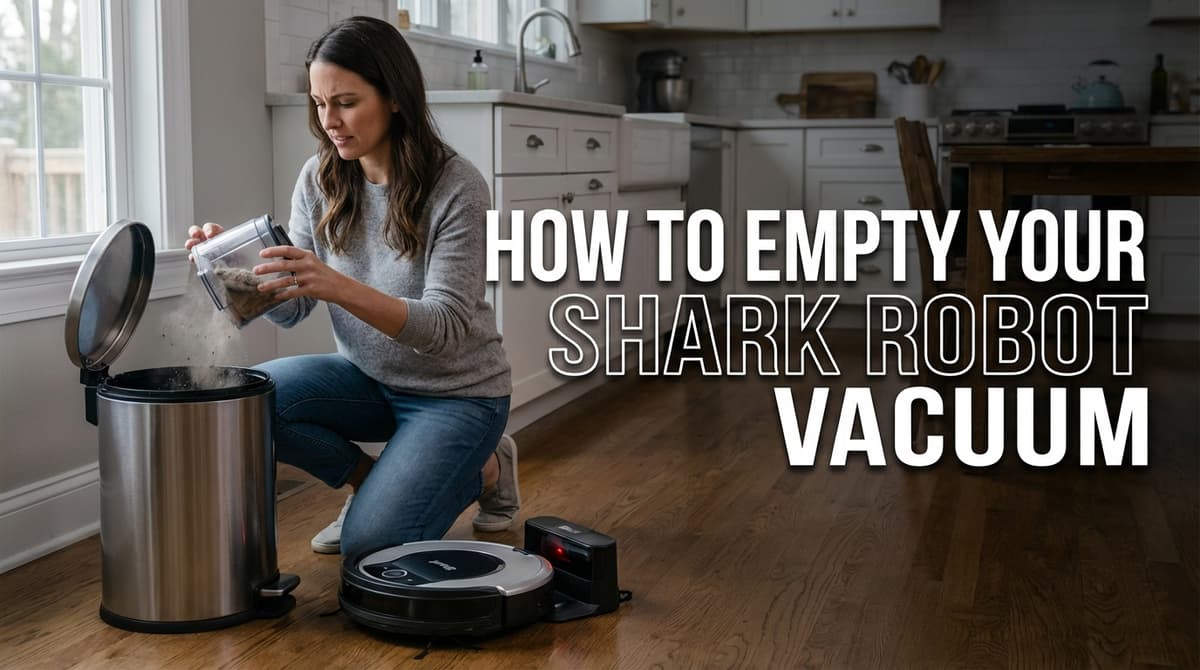
Here's what we'll cover in this complete guide: the why behind proper emptying, how to identify your specific Shark model (because they're not all the same), step-by-step instructions for every type, troubleshooting those annoying moments when something goes wrong, and pro tips that'll keep your robot running like new.
Whether you've got the latest self-emptying model or you're working with a trusty older Shark that's been faithfully cleaning your floors for years, this guide will walk you through everything you need to know.
Look, I get it - emptying a dustbin seems pretty basic. But here's the thing: your Shark robot is a tiny, mobile cleaning machine with some surprisingly sophisticated engineering packed inside. When that dustbin gets full, it's not just about storage space.
First off, a packed dustbin kills suction power faster than you'd think. As debris builds up, airflow gets restricted, and your robot starts working harder to pull in dirt that would normally be easy pickings. It's like trying to drink a thick milkshake through a coffee stirrer - technically possible, but pretty inefficient.
A full dustbin can also indirectly affect your robot's navigation. When the dustbin is neglected, more dust and debris tend to accumulate on the robot's sensors and surfaces. Dirty sensors can cause erratic movements, repeated collisions with furniture the robot normally avoids, and missed cleaning areas. So while the dustbin itself isn't throwing off navigation, a neglected dustbin usually leads to neglected sensors - and that combination leads to a robot that's both cleaning poorly and navigating poorly.
And let's talk about your filters for a second. When you let the dustbin get completely full, fine dust and debris get pushed against the filter with extra force. This doesn't just clog the filter faster - it can actually damage the filter material, meaning you'll be replacing them more often than necessary.
The motor longevity factor is huge too. When your Shark has to work harder due to poor airflow, that motor is running under stress. It's like driving your car with the parking brake on - it'll still move, but you're definitely shortening its lifespan.
The good news is that emptying a Shark robot doesn't require any special equipment. Here's what to have on hand: a trash can, a clean cloth or paper towels, and a small brush for stubborn debris. For models with a mop function, keep a spare mop pad nearby so the robot isn't out of commission while one is being washed.
Know your model: This is crucial because Shark's robot vacuum lineup spans several product lines, and the emptying process varies depending on the type. Check the model number on the bottom of the robot or in the SharkClean app. The main categories are:
Each type has a different procedure, so identifying the right one before getting started will save time and frustration.
The Shark ION and other entry-level robots without a self-emptying base have the most straightforward setup: a removable dustbin that slides or pops out from the robot.
The release mechanism is usually a button or latch on the back of the robot, just above where the dustbin sits. Most models have a clearly marked release button with a dustbin icon - Shark has done a good job making this intuitive.
To remove the bin, press and hold the release button while gently pulling the dustbin straight out. Don't yank or twist it - these bins are designed to slide out smoothly when the mechanism is properly engaged. If there's resistance, double-check that the release button is fully pressed down.
Once the bin is out, it's essentially a clear plastic container with a filter assembly on one end. The clear design makes it easy to see how much debris has accumulated before opening it up. Hold the bin over a trash can, open the lid, and tap gently to release the contents. For debris stuck in the corners, a small brush or dry cloth works well.
Models like the Shark AI Ultra, Matrix, Matrix IQ, and Navigator with a self-empty dock handle most of the work automatically. After each cleaning session, the robot returns to its base and empties its onboard dustbin into a larger dustbin housed in the dock. This process takes about 10–15 seconds.
If the auto-empty cycle isn't triggering, check that the robot is seated correctly on the dock. Also make sure the base's dustbin isn't full - most models will send an app notification or show an indicator light when it's time to empty.
To empty the base's dustbin, open the front or top panel of the dock (this varies by model), lift out the dustbin, and dump the contents into a trash can. Since these bases hold 30 to 60 days of debris depending on the model, the contents can be tightly packed. A firm tap over the trash can usually does the trick, but a small brush can help with anything stuck inside.
Don't forget to check and clean the filter inside the base periodically as well. A clogged filter reduces the suction power of the auto-empty cycle, which can leave debris behind in the robot's onboard bin.
The Shark Matrix Plus 2-in-1, Stratos 2-in-1, and PowerDetect ThermaCharged models add mopping functionality on top of vacuuming, which means there's more to maintain beyond just the dustbin.
For the dustbin, the process is the same as the bagless self-emptying models described above - the robot empties into the dock automatically, and the dock's dustbin needs to be emptied when full.
The additional maintenance involves the mop system. After mopping sessions, the mop pad needs to be cleaned. On the Stratos and PowerDetect ThermaCharged, the NeverTouch dock handles this automatically - it washes and dries the mop pad after each use. The PowerDetect ThermaCharged goes a step further with heated water washing and hot air drying for deeper sanitization.
On models without automatic mop pad cleaning, remove the mop pad after each session and rinse it under running water or toss it in the washing machine (check the manual for specific care instructions). Letting a dirty mop pad sit on the robot between uses can lead to odors and bacteria buildup.
The water tank also needs attention. Refill it before mopping sessions, and empty any remaining water after use to prevent stagnation. On models with the NeverTouch dock, the base auto-refills the robot's water tank and holds up to 30 days of water, but the base's reservoir still needs to be refilled periodically.
Start with the robot powered off and sitting on a flat, stable surface. Locate the release mechanism and get a good grip on both the robot body and the dustbin - support the robot with one hand while operating the release with the other. This prevents any awkward twisting that could stress the mounting points.
Press and hold the release button firmly, as these mechanisms sometimes require more pressure than expected. While maintaining pressure on the release, pull the dustbin straight out in the direction it's designed to travel. Most Shark models have the bin slide straight back, but some pull upward.
If the bin feels stuck, don't force it. Release the button, check for any visible debris blocking the mechanism, and try again. Sometimes a single piece of lint or a small pebble can jam things up.
Once the dustbin is out, resist the urge to immediately flip it over into the trash can. Take a second to assess what's inside - fine dust, pet hair, and larger debris each call for a slightly different approach.
For fine dust and debris, the gentle tapping technique works best. Hold the dustbin over a trash can and tap the sides gently, starting from the bottom and working up. This helps material fall out naturally without creating dust clouds.
For homes with allergy sufferers or particularly dusty debris, try the bag liner trick: before removing the dustbin, slip a plastic grocery bag over the opening, then invert the whole thing. The debris falls into the bag, and it can be tied off without releasing dust into the air. Emptying outdoors is another good option - just stand downwind so the breeze carries fine particles away.
For pet hair that's clumped together or debris stuck in the corners of the bin, a small brush or dry cloth can help dislodge it. Avoid using anything sharp or rigid that could scratch the inside of the dustbin.
Since the dustbin is already out, this is the perfect time for a quick inspection and cleaning. Give the inside of the bin a wipe with a damp cloth to remove any stuck-on debris or dust film that builds up over time.
Check the filter while it's accessible - it's usually visible once the dustbin is removed. If it looks particularly dusty or clogged, give it a gentle tap or rinse (check the specific model's manual for filter care instructions, as some filters are washable and others are not).
Also look into the intake area where the dustbin connects to the robot. Larger debris sometimes gets caught at this junction, and it's easy to miss without a deliberate check. A quick visual inspection here can prevent reduced suction later on.
This is one of the most common issues, and it's usually easier to fix than expected. First, make sure the release mechanism is being pressed fully - these buttons often require more pressure than anticipated, especially on newer robots where the mechanisms are still stiff.
If the button is fully pressed but the bin won't budge, check for debris around the release mechanism itself. Pet hair, lint, or small pieces of dirt can get lodged in the mechanism and prevent proper operation.
Repeated overfilling can cause the dustbin to warp slightly over time. If the bin seems to be sitting crooked or won't align properly with the release mechanism, try gently pressing down on it while engaging the release. This can help reseat everything properly.
For particularly stubborn cases, power cycle the robot completely - turn it off, wait 30 seconds, then turn it back on. Some models have electronic locks that can get confused, and a restart often clears the issue.
Pet hair is usually the culprit here, especially long hair that's gotten past the brushroll. If hair is visibly wrapped around internal components of the dustbin, it will need to be removed manually with scissors or a small brush.
For compacted dirt that won't budge with tapping, try covering the dustbin opening with one hand, giving it a few gentle shakes to loosen things up, then repeating the tapping technique over the trash can.
If debris is stuck in the narrow area where the dustbin connects to the robot, a small brush - an old toothbrush works well - can help dislodge stubborn particles. Be gentle around any sensors or moving parts.
Sometimes the issue isn't stuck debris but static electricity holding fine particles to the plastic. A slightly damp cloth wiped around the inside of the bin can eliminate static and help everything release more easily.
When the automatic emptying cycle isn't working, start with the basics: is the robot properly seated on the dock, and is the base plugged in and powered on? A misaligned robot is one of the most common reasons the auto-empty cycle fails to trigger.
Next, check whether the base's dustbin is full. Most models will show an indicator light or send an app notification when the dustbin needs emptying, but these alerts can be easy to miss. If the base dustbin is packed, the suction won't have anywhere to pull debris, and the cycle will either fail or leave debris behind in the robot's onboard bin.
Check for blockages in the base's suction pathway as well. Debris can sometimes get stuck in the channel that connects the robot to the base's dustbin compartment. With everything unplugged, a visual inspection of this area can reveal obvious blockages. A dry cloth or small brush can clear most obstructions.
Error codes on self-emptying models usually relate to sensor issues, pathway blockages, or a full base dustbin. Consult the specific model's manual for error code definitions, but most can be resolved by emptying and cleaning the base dustbin, checking the connection point, and ensuring the robot is docking correctly.
If the base is making unusual noises during the emptying cycle - grinding, squealing, or extended running without the normal suction sound - stop the process and check for foreign objects that might have entered the system.
For most households, emptying every 2–3 cleaning cycles strikes the right balance between convenience and performance. But every home is different, and the ideal emptying schedule depends on factors like home size, flooring type, and how much debris the robot is picking up.
Smaller homes (under 1,500 square feet) with mostly hard floors and minimal pet hair can often get by with weekly emptying. Larger homes, especially those with wall-to-wall carpeting, will need more frequent attention.
Visual cues are helpful here. Most Shark models have clear dustbins, making it easy to see when it's time. A good rule of thumb is to empty the bin when it's about two-thirds full - this keeps suction at its best while preventing overstuffing.
Watch for performance changes too. If the robot starts leaving behind debris it normally picks up, or if cleaning cycles are taking noticeably longer, check the dustbin even if it doesn't look completely full.
Homes with shedding pets need much more frequent emptying - sometimes after every single cleaning cycle during peak shedding seasons. Long-haired pets are particularly challenging because that hair compresses and takes up more dustbin space than expected.
For households running the robot daily (which many pet owners do), emptying every other day at minimum is a good baseline. It only takes about 30 seconds and keeps the robot performing at its best.
High-traffic areas present their own challenges. Robots primarily cleaning entryways, kitchens, or kids' playrooms deal with more dirt and debris than average. These spaces can fill a dustbin surprisingly quickly, especially during muddy seasons.
Seasonal considerations matter too. Fall leaf debris that gets tracked in, spring pollen, and winter salt can all impact how quickly the dustbin fills. Adjust the emptying frequency based on what the robot is actually picking up, not just a calendar schedule.
Keeping the dustbin dry and clean between uses is the best way to prevent odors. After emptying, let the dustbin air dry completely before reinstalling it - trapped moisture encourages bacterial growth.
For homes with pets or particularly dusty conditions, a monthly deep clean makes a noticeable difference. Remove the dustbin and wash it with warm, soapy water, then let it air dry overnight before putting it back.
If odors do develop, a solution of white vinegar and water (about 1:3 ratio) can help neutralize smells without damaging plastic components. Rinse thoroughly and dry completely afterward.
For robots that won't be used for extended periods, store the dustbin separately in a clean, dry location. This prevents any residual moisture from causing problems during downtime.
How the dustbin is emptied directly affects filter lifespan. When the bin gets completely packed, fine debris gets forced through the filter system under pressure, which can push particles deeper into the filter material and reduce its effectiveness faster.
Emptying before the bin is completely full reduces this pressure and keeps debris from compacting against the filter, which can meaningfully extend the time between filter replacements.
During emptying, take a quick look at the filter. If dust is visible on the surface but the material still looks intact, things are on track. If dust is deeply embedded or the filter material looks damaged, it's time for a replacement regardless of the manufacturer's recommended timeline.
Some Shark models have washable filters, which helps reduce ongoing costs. For washable filters, a gentle rinse every few weeks keeps them performing well. Make sure the filter is completely dry before reinstalling - a damp filter can strain the motor and reduce suction.
While this guide is focused on dustbin emptying, there are warning signs that indicate bigger issues. If the robot is making unusual noises - grinding, squealing, or rattling - don't just empty the dustbin and move on.
Reduced suction that doesn't improve after emptying could indicate filter problems, motor issues, or blockages elsewhere in the system. If the robot starts getting stuck in places it normally navigates without issue, or if it's leaving behind debris in seemingly random patterns, there may be sensor issues that need attention. As covered earlier in this guide, dirty sensors are a common cause of navigation problems, so start with a thorough sensor cleaning before assuming something more serious is wrong.
Battery life that suddenly drops can indicate the motor is working harder than normal, which could be due to chronic overfilling of the dustbin, a clogged filter, or other maintenance issues that have compounded over time.
The connection between proper emptying habits and the robot's overall longevity is significant. Small, consistent maintenance prevents bigger and more expensive problems over time.
Beyond emptying, a few quick habits complement the dustbin routine: a visual check of the brushes for wrapped hair, ensuring the charging contacts are clean, and making sure the robot's path is clear of obstacles.
Other tasks include wiping down the robot's exterior, checking wheel wells for debris, and giving the sensors a gentle cleaning with a soft cloth. These small steps, combined with proper dustbin emptying, keep everything running smoothly.
Deep cleaning - removing and washing washable components, checking all moving parts for wear, and inspecting the charging base - rounds out a comprehensive maintenance routine that keeps the robot performing well for years.
Most robot vacuum problems people experience could be prevented with better emptying and cleaning habits. It's a simple thing, but it makes an enormous difference in performance, reliability, and longevity.
Emptying a Shark robot vacuum is straightforward once the specifics of the model are clear and good habits are in place. The key takeaways: empty before the bin gets completely full, take a few seconds to clean while it's out, and pay attention to performance changes that signal something needs attention.
Whether the robot is a manual-empty model that needs hands-on attention every few days or a self-emptying system that handles most of the work automatically, consistency matters most. A quick 30-second emptying routine beats dealing with reduced performance, strange noises, or costly repairs down the road.
Start by checking the dustbin every couple of days to get a feel for the home's specific needs, then settle into a routine that fits the household's lifestyle. A Shark robot is designed to make life easier - proper emptying ensures it can do exactly that for years to come.
